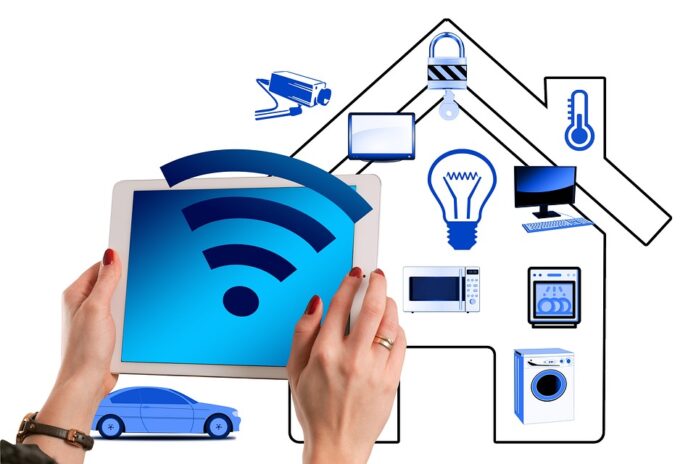
In today’s fast-paced world, home automation is no longer a luxury; it’s a necessity. Having a smart home can significantly enhance your quality of life by offering convenience, security, and energy efficiency. In this guide, we’ll explore the various aspects of home automation, the technology behind it, the benefits it offers, and how to implement it in your own living space.
What is Home Automation?
Home automation refers to the integration of technology into your home to control and monitor systems and appliances through devices such as smartphones, tablets, or voice assistants. This can include everything from lighting and heating to security systems and home entertainment.
Key Components of Home Automation
-
Smart Lighting: Automate lighting with smart bulbs and switches. Control the brightness, color, and schedule of your lights remotely or set them to react to specific events (e.g., sunset or sunrise).
-
Thermostats: Smart thermostats learn your habits and adjust the temperature based on when you’re home or away. Some models can even be controlled via your smartphone.
-
Security Systems: Integrated security cameras, motion sensors, and smart locks enhance your home’s security. You can receive alerts and monitor your home remotely.
-
Home Entertainment: Smart TVs, speakers, and streaming devices allow you to control your entertainment systems with voice commands or smartphone apps.
-
Smart Appliances: From refrigerators that can remind you when you’re out of milk to washing machines that can be controlled remotely, smart appliances add convenience to daily chores.
-
Voice Assistants: Devices like Amazon Alexa or Google Home centralize your home automation, allowing you to control various systems with simple voice commands.
Benefits of Home Automation
-
Convenience: Control everything from your lights to your thermostat with ease. Imagine being able to adjust the temperature while you’re still at the office or dimming the lights for movie night with a simple command.
-
Energy Efficiency: Smart devices can significantly reduce your energy consumption. For instance, smart thermostats optimize heating and cooling, while smart lights can be programmed to turn off when you leave a room.
-
Enhanced Security: Home automation can enhance the safety of your home by allowing you to monitor activity in and around your home in real time, lock doors remotely, and receive alerts if anything suspicious occurs.
-
Increased Home Value: As home automation becomes more popular, having a smart home can increase your property’s appeal and market value.
-
Customization: Create personalized experiences tailored to your lifestyle. Whether it’s setting the mood for a romantic dinner or a cozy movie night, automation offers endless customization options.
Getting Started with Home Automation
Transforming your living space into a smart home can seem overwhelming, but it doesn’t have to be. Here’s how to get started:
Step 1: Assess Your Needs
Before investing in any technology, assess what aspects of your home you’d like to automate. Consider which areas would benefit the most from automation—security, lighting, climate control, etc.
Step 2: Choose a Hub
A hub acts as the central interface for your smart devices. Popular options include:
- SmartThings: Supports a wide variety of devices.
- Amazon Echo: Integrates seamlessly with Alexa-enabled devices.
- Google Nest Hub: Works well with Google Home devices.
Step 3: Start Small
Begin with a few devices rather than trying to automate your entire home at once. For example, you might start with a smart thermostat and a couple of smart bulbs before expanding to security systems and appliances.
Step 4: Ensure Compatibility
Make sure the devices you choose are compatible with your hub and each other. Look for products that support common protocols like Zigbee, Z-Wave, or Wi-Fi.
Step 5: Installation and Configuration
Depending on the device, installation can be straightforward or require some technical skills. Most manufacturers offer instructions, and many devices are designed for user-friendly installation. After installation, configure your devices using their respective apps to customize settings.
Step 6: Automate and Customize
Once everything is set up, create automation routines. For example, you can set your lights to turn on at sunset or program your thermostat to lower the temperature when you leave for work.
Popular Home Automation Products
Here are some popular options that can help you elevate your home’s automation:
- Smart Bulbs: Philips Hue, Lifx
- Smart Thermostats: Nest Learning Thermostat, Ecobee
- Smart Security Cameras: Ring, Arlo
- Smart Speakers: Amazon Echo, Google Nest Audio
- Smart Plugs: TP-Link Kasa, Wemo Mini
Trends in Home Automation
As technology continues to evolve, several trends are shaping the future of home automation:
-
AI Integration: Artificial Intelligence is becoming more prevalent in smart devices, allowing for improved learning capabilities. Devices can adapt to user habits and preferences over time.
-
Increased Interoperability: As the market evolves, we’ll see greater compatibility between different brands and devices, making it easier for consumers to create cohesive smart homes.
-
Focus on Security: As more devices connect to the internet, security becomes a top concern. New products with advanced encryption and privacy features will emerge.
-
Sustainability: Eco-friendly technologies are gaining popularity, with smart devices designed to reduce energy usage and promote sustainability.
-
Health Monitoring: Smart home technologies are increasingly being developed to monitor and improve indoor health, such as air quality sensors and systems that promote better ventilation.
Conclusion
Home automation offers the opportunity to transform your living space into a more efficient, convenient, and secure environment. With endless options for customization and a growing array of devices, the possibilities are boundless. By assessing your needs, choosing the right products, and taking steps to integrate them into your home, you can create a smart living space that enhances your life.
FAQs
1. How much does it cost to automate a home?
Costs can vary significantly based on the devices you choose and the extent of automation. Simple setups may start at a few hundred dollars, while fully integrated smart homes can run into the thousands.
2. Can I install smart home devices myself?
Many smart home devices are designed for easy installation, requiring little more than following manufacturer instructions. However, some systems may benefit from professional installation.
3. Do I need a Wi-Fi connection for home automation?
Most smart devices require a Wi-Fi connection to function properly. Some devices may use Zigbee or Z-Wave technology, which requires a compatible hub.
4. Are smart home devices secure?
While many manufacturers prioritize security, it’s essential to choose reputable brands and regularly update device software. Use strong, unique passwords for your accounts and Wi-Fi network.
5. Can I use multiple voice assistants in my home?
Yes, you can use different voice assistants together; however, compatibility varies. It’s advisable to choose a primary hub or assistant to centralize control for your smart home needs.

